























































Magento Migration
Moving to Magento today means planning for the current Adobe Commerce ecosystem rather than relying on legacy platform assumptions. Always Open Commerce helps organize the storefront, catalogs, sites, integrations, and migration work around the destination the business actually needs.

Confirm the Adobe Commerce Destination Before You Plan the Move
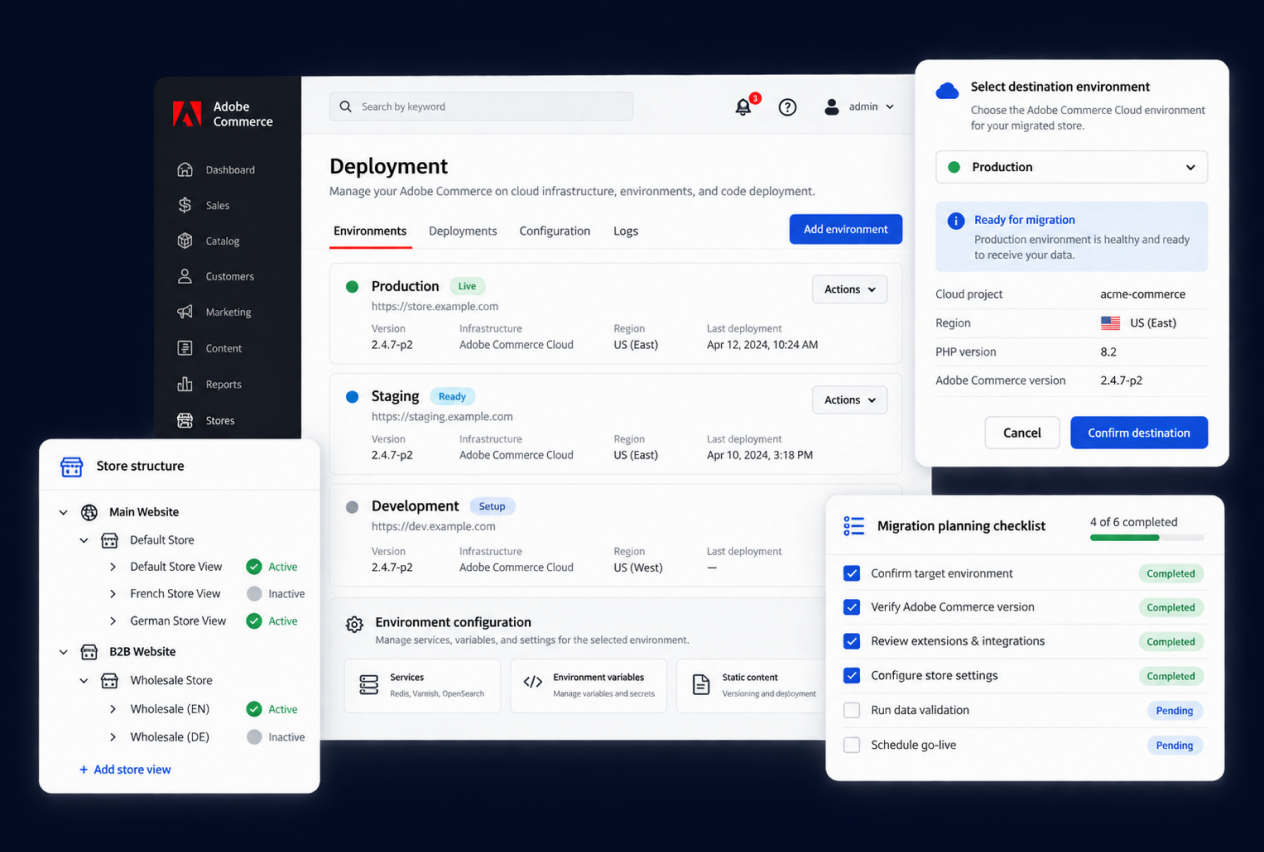
Magento remains familiar language for many ecommerce teams, but Adobe’s current enterprise commerce product is Adobe Commerce. Adobe currently offers cloud packages with different deployment and operating models, so migration planning should begin by confirming which current destination the business is actually implementing rather than assuming a legacy Magento setup.
That decision affects more than naming. It can influence infrastructure ownership, customization, integrations, storefront architecture, and the technical resources the new environment requires. We help organize the business and migration requirements around the confirmed destination before implementation scope is committed, while deployment and feasibility decisions remain subject to specialist review.
Model Sites, Catalogs, and Buyers Before the Data Moves
Adobe Commerce is built for businesses that may operate multiple sites, markets, catalogs, brands, or buyer models from a shared commerce foundation. Its current B2B capabilities also support company accounts, customer-specific catalogs and pricing, approvals, and other account-based purchasing needs.
Those structures should be designed before source data is mapped. Products, categories, customer groups, pricing, content, and site relationships may need to be reorganized rather than copied directly from the old platform. We use the migration to clarify what should be shared, what needs to vary, and how the destination should reflect the way the business actually sells.

Rebuild Customization Around the Current Adobe Commerce Architecture
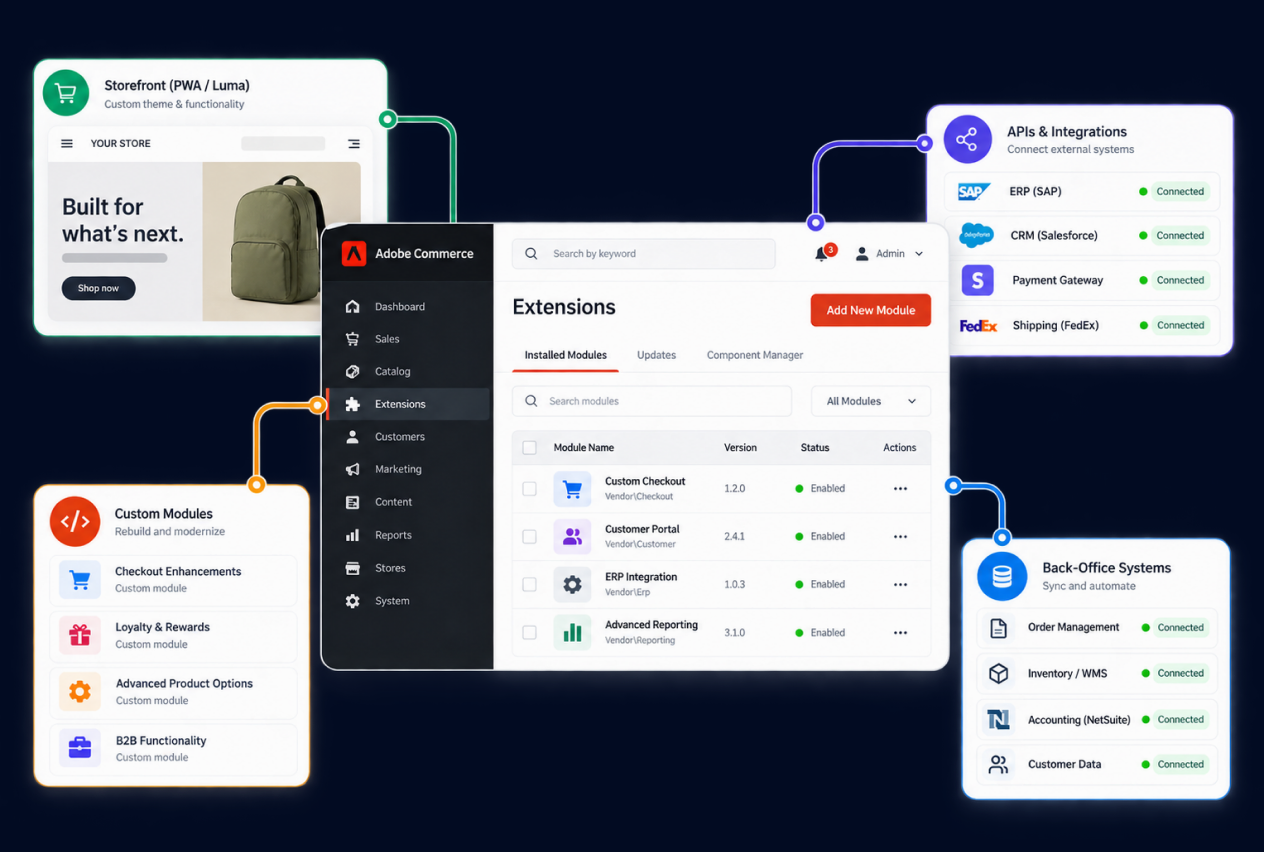
Legacy Magento environments often contain themes, extensions, custom code, and integrations that were built around a specific version or architecture. They should not be assumed to transfer into current Adobe Commerce unchanged. Migration planning should start with the business purpose of each customization, then decide what still needs to exist in the new environment.
Adobe Commerce now emphasizes API-first and composable approaches alongside connections to back-office systems and other Adobe products. That creates more architectural options, but it also makes technical review important. Our team can help map required behavior, data, storefront needs, and connected systems while Development or other specialists confirm the implementation approach.
1
Buyer and Company Workflows
Document registration, approval, account structure, buyer roles, reordering, quotes, purchasing permissions, and other paths that matter to the commercial model.
2
Pricing and Catalog Logic
Define customer-specific pricing, product visibility, catalogs, quantity rules, and the source of truth for the commercial data that feeds the storefront.
3
Storefront-Specific Requirements
Identify where content, products, pricing, navigation, domains, currencies, or customer experiences need to vary across storefronts, regions, brands, or buyer groups.
4
Plan and Capability Fit
BigCommerce capabilities and limits can vary by plan and implementation. The migration scope should confirm the current platform requirements instead of relying on an older feature assumption.
Magento Migration Process
1
Assess
Confirm the current Adobe Commerce destination, then review the source store, deployment needs, sites, catalogs, B2B model, customizations, and integrations.
2
Map
Map products, customer structures, site relationships, B2B rules, content, URLs, and connected systems into the Adobe Commerce model.
3
Build and Transfer
Build the approved Adobe Commerce storefront and configuration, transfer in-scope data and content, and implement approved integrations within the confirmed architecture.
4
Validate
Review migrated data, site and B2B journeys, custom functionality, connected systems, redirects, and launch requirements.
5
Launch and Support
Coordinate the Adobe Commerce go-live plan and continue with post-launch validation or ongoing support when included in scope.

Related Magento Replatforming Work


Migration
Catalyst Shop Rides the Wave to E-commerce Success with a Strategic BigCommerce Re-platform and Redesign


Migration
Keeping a Long Standing Filtration Brand Running Smoothly from Magento to BigCommerce and Beyond
Magento Migration FAQs
Magento remains common buyer terminology, while Adobe’s current enterprise commerce product is Adobe Commerce. The page keeps the familiar term, but the exact current Adobe Commerce product and deployment should be confirmed before architecture or scope is defined.
No assumption should be made that they will transfer unchanged. Existing themes, extensions, custom code, and integrations should be reviewed against the current Adobe Commerce destination and may require replacement, redevelopment, redesign, or a different technical approach.
There is no responsible fixed timeline without reviewing the source environment and destination architecture. Catalog complexity, sites, data, customizations, integrations, storefront work, testing, and launch requirements can all affect the schedule.
Migration scope can include products, categories, customers, orders, content, media, URLs, and other approved records. What can move cleanly depends on the source platform, data quality, the current Adobe Commerce destination, and how the information needs to be structured.
Important source URLs, Adobe Commerce destination paths, redirects, metadata, internal links, and launch checks should be mapped before go-live. This can reduce avoidable search risk, but it cannot guarantee rankings, traffic, or identical indexation.

 USA
USA
 Philippines


